ORIX Camera
Manual Camera, RAW & Video
Development build
Overview
ORIX Camera is a camera for people who want to know what their camera is doing. Open it and shoot: Auto mode needs nothing else. When you want control, it is one tap away, and every control drives the actual camera. Five modes share one viewfinder: Auto, Pro Photo, Pro Video, Creative and Analysis.
Three rules shaped the app. Every control is a hardware operation, with ranges taken from the camera's own capabilities and values read back from the camera. Every unavailable capability stays visible, disabled, with the reason. Every monitoring aid — histogram, focus peaking, zebras, false colour — is computed from the pixels of the live image.
Around the camera sit an app-owned library, a non-destructive editor, a metadata inspector and an export system. ORIX Camera is still in development: its whole pipeline runs in the iOS Simulator on a synthetic scene, and it has not yet run on a physical iPhone or iPad.
Key features
- 01
Auto
Point and shoot with tap to focus and expose, exposure compensation, a self-timer and burst. Short, factual hints come from measurements of the live frames: clipped highlights, low light, slow shutter, tilted horizon.
- 02
Pro Photo
Manual ISO, shutter speed, exposure compensation, focus, white balance and zoom on ruler dials, with each lens selected directly. A parameter you have taken over turns amber.
- 03
RAW and Apple ProRAW
HEIC, JPEG, Bayer RAW (DNG), RAW+HEIC and Apple ProRAW, each offered when the device's camera reports support. Otherwise the option stays visible, disabled, with the reason. The DNG is written untouched.
- 04
Pro Video
Resolution, frame rate and codec selection from the camera's own formats: H.264, HEVC, and Apple ProRes 422 when the device reports an encoder. 180° shutter in one tap, audio meter, remaining recording time, dropped-frame count and heat badge.
- 05
Monitoring
A luminance or RGB histogram that counts every pixel, focus peaking with adjustable sensitivity and colour, zebras with an adjustable threshold, false colour and a clipping warning. Grids, aspect guides, safe framing and a level complete the set.
- 06
Creative modes
Long exposure and light trails built up live in the viewfinder, night stack, bracket fusion, time-lapse and an intervalometer. Each has its own processing pipeline.
- 07
Non-destructive editor
Your original is never modified: an edit is a small recipe stored with the item. Exposure, contrast, highlights, shadows, white balance, curves, crop, straighten and looks, with undo, redo and before/after. Videos are not editable in 1.0.
- 08
Library and metadata
An app-owned library with albums, favourites, filters, search and duplicate detection. The metadata inspector lists only the fields a file really contains.
- 09
Export
JPEG, HEIC, PNG, TIFF, or the untouched original as a byte-identical copy. Choose size, quality and colour space, and remove location or all metadata when sharing.
Screenshots
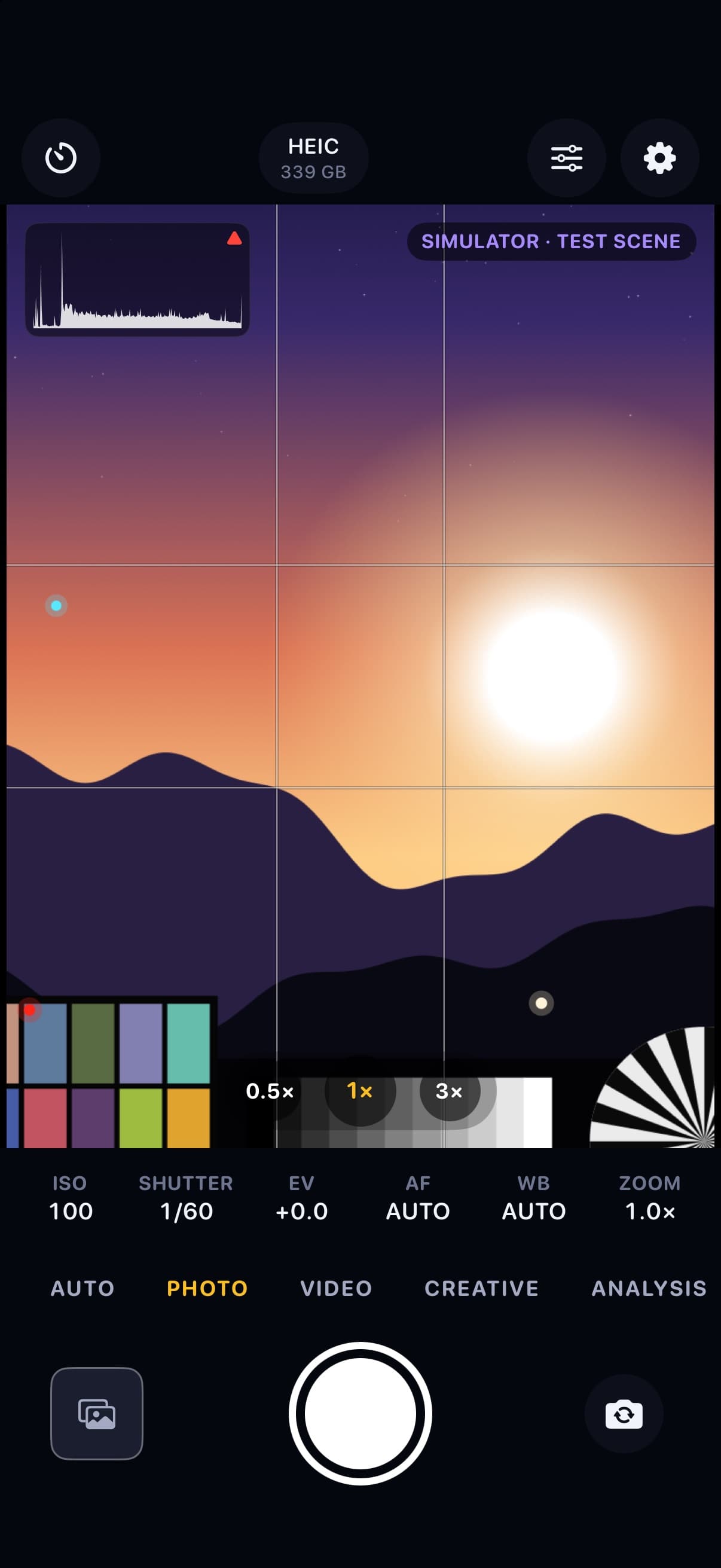
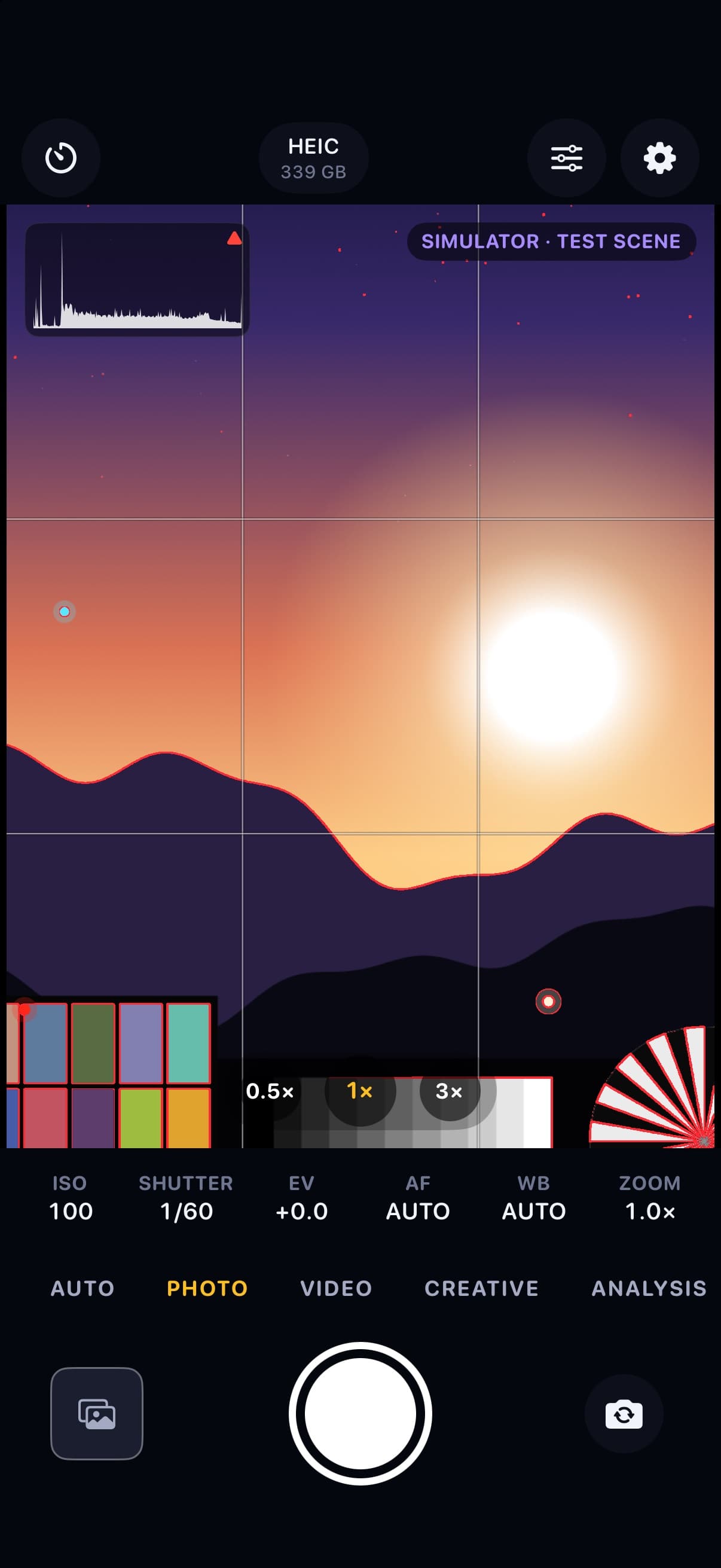
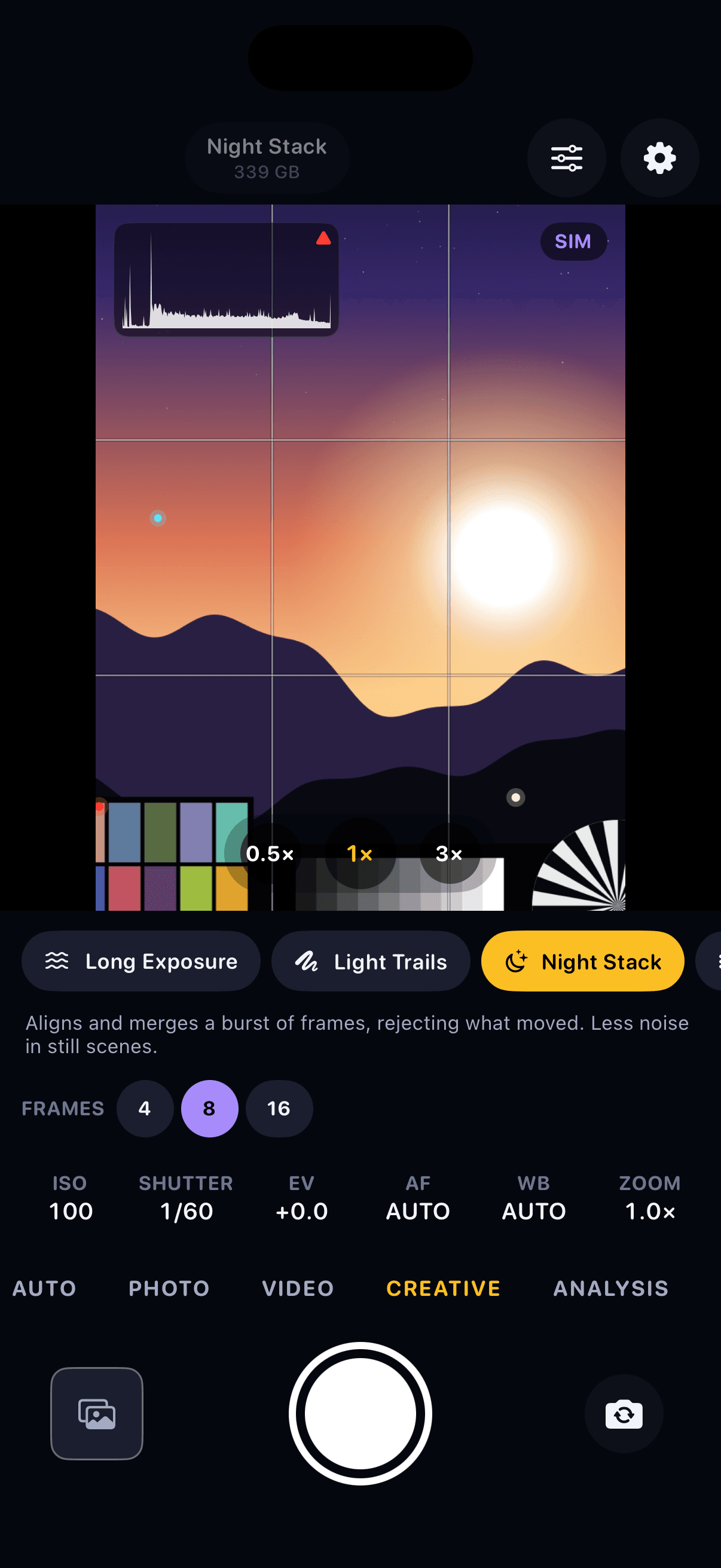
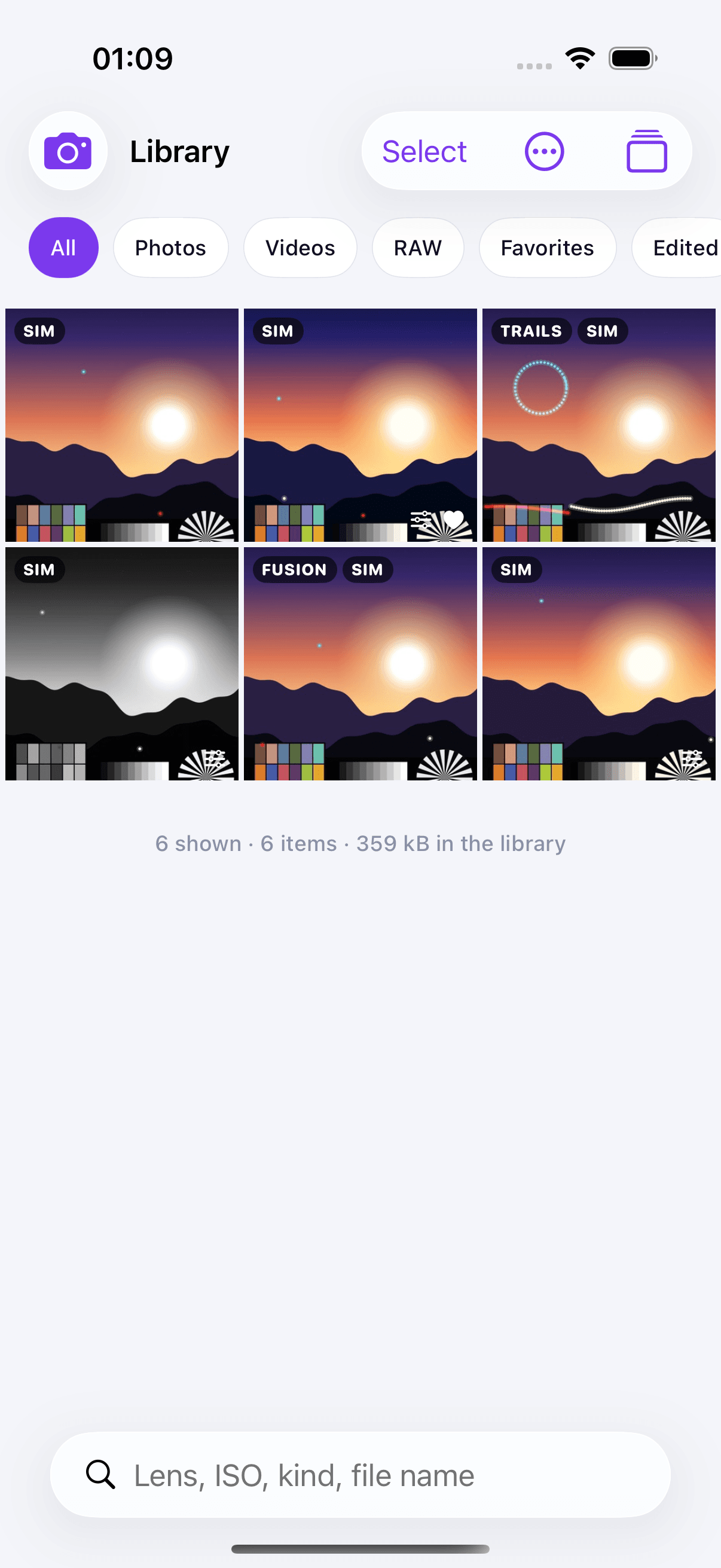
Photo mode with the live histogram, rule-of-thirds grid, lens selector and manual control strip, shown with the Simulator's test scene. Focus peaking outlines the sharpest edges in red over the preview, shown with the Simulator's test scene. Video mode at 1080p, 30 fps, HEVC with zebra stripes on the brightest areas and an audio level meter, shown with the Simulator's test scene. Creative mode with Night Stack selected and a choice of 4, 8 or 16 frames, shown with the Simulator's test scene. Analysis mode with false colour, clipping warnings and exposure statistics, shown with the Simulator's test scene. The library with filter chips, capture badges and a search field; the six items are captures of the Simulator's test scene. The editor's Light tab with exposure, contrast, highlights and shadows sliders, applied to a capture of the Simulator's test scene. Auto mode on iPad with the exposure compensation slider and a highlights-clipped warning, shown with the Simulator's test scene.
A closer look
Every control is a hardware operation
The interface talks to a camera backend protocol; on a device, each call maps to one AVFoundation camera method. Ranges and stops come from the camera's own capabilities, and the values shown are read back from the camera, not echoed from the dial. When a lens does not offer RAW, manual focus or a frame rate, the option is shown disabled with the reason. This path is written and compiles for iOS, but it has not yet been run on a physical device.
Monitoring computed from the pixels
The histogram counts every pixel of the frame into 256 bins for red, green, blue and luma, with no subsampling. Focus peaking is a Sobel gradient compared with a threshold; zebras are a luma threshold on the 8-bit monitoring signal. The aids are drawn in the same Metal pass as the picture, so they cannot drift from it. Peaking estimates local sharpness; it does not guarantee focus.
Four multi-frame pipelines
Long exposure averages video frames for 1 to 30 seconds; light trails keep the per-channel maximum. Night stack registers 4, 8 or 16 frames and merges them with a motion-aware weight, skipping any frame it cannot align. Bracket fusion combines two or three bracketed photos with Mertens exposure fusion. Long exposure, light trails and night stack are computed from the video stream and saved at its resolution, not at full photo resolution.
Files are the source of truth
Captures live in the app's container and are indexed with SwiftData; the index can be rebuilt from the files at launch. Movies are written in five-second fragments, so a recording cut short stays playable up to the last fragment and is adopted into the library at the next launch. Look, aspect ratio and mirroring are stored as a recipe: the file always holds the full, unmodified capture.
Technical specifications
- Platform
- iPhone (iOS) · iPad (iPadOS)
- Minimum OS
- iOS 18.0 · iPadOS 18.0
- Architectures
- arm64
- Current version
- 1.0.0 (1) — not released
- Release date
- Not released
- Exported build size
- 3.4 MB
- Permissions
- Camera — required; requested after the first-launch screen, when the camera starts.
- Microphone — only when recording video with sound; if refused, video is recorded without sound.
- Photos, add-only — only when you save a copy to Photos; the app never reads your library.
- Offline
- Fully offline: the app contains no networking code.
- Languages
- English · French (Canada)
- Dependencies
- No third-party dependencies. Swift 6 and Apple frameworks only: SwiftUI, AVFoundation, Metal, Accelerate, Core Image, Vision, Core Motion, SwiftData, PhotoKit.
- Bundle identifier
- ai.spboucher.orix.camera
- Source
- Not published
Downloads
TestFlight beta
Archived and exported for App Store Connect; no App Store Connect record exists and nothing has been uploaded.
Beta Access Coming Soon
No public TestFlight invitation exists yet.
Not on the App Store yet.
Release history
No release has been recorded yet.
Privacy
ORIX Camera keeps what you capture on your device. It has no account, no server and no networking code; the developer collects no data.
- No account. No cloud. No ads. No tracking.
- Photos and videos stay in the app's library on your device until you export, share or save a copy to Photos.
- Photos access is add-only: ORIX Camera can save a copy to your library but never reads it.
- Location is never recorded: the app does not link Core Location and writes no GPS metadata.
- Export can keep all metadata, remove location or remove everything.
- Deleting the app deletes its library; there is no cloud copy.
- The permission prompts, saving to Photos and file protection have not yet been observed on a device.
Verification status
Not yet validated on a physical device
Engine tests run on the Mac, and app-hosted unit tests and UI tests run in the iOS 26.5 Simulator (iPhone 17 Pro and iPad Pro 13-inch) against a virtual camera and a synthetic scene. The test counts and results of the last full run are not filled in in the project's documents. Code coverage was not measured.
Never run on a physical iPhone or iPad. The device camera backend compiles for iOS but has never executed; no test covers a real sensor, RAW, flash, the microphone, rotation, thermal state or saving to Photos. Performance was measured on the development Mac only. No accessibility audit has been run, and the state of the French (Canada) translation is not recorded. By the project's own quality gates, the app is not release-ready.
Questions
Can I install ORIX Camera today?
No. Version 1.0.0 (1) has been archived and exported, but nothing has been uploaded to Apple: it is not on TestFlight and not on the App Store.
Has it been tested on a real iPhone?
Not yet. The app builds and its whole pipeline runs in the iOS Simulator on a synthetic scene, but nothing that needs a real sensor has been validated: lenses, manual exposure, focus, RAW, flash, microphone capture, rotation, thermal behaviour or performance.
Does it shoot RAW, ProRAW and ProRes?
Each is offered when the device's camera reports support for it; otherwise the option is shown disabled with the reason. RAW and ProRAW capture and ProRes recording have not yet been exercised on a device.
Does it record HDR or Log video?
No. Video is recorded in 8-bit SDR. The app detects whether the camera offers 10-bit HDR and Apple Log and reports it, but does not record them in this version.
Is long exposure a real long shutter?
No, and the app says so on the tool. It is a computational accumulation of many short exposures from the video stream, saved at the stream's resolution.
Does the app read my Photos library or connect to the Internet?
Neither. Photos access is add-only, used when you save a copy, and the app contains no networking code.
More from ORIX
See the full catalog Beta
ORIX Scan
Scan paper into clean, searchable PDFs: capture, enhancement, text recognition and export all run on your iPhone or iPad.
iPhoneiPadProductivityv1.0.0 Beta
ORIX Calc
Standard, scientific, financial, graphing, math, statistics, units and a reactive notebook on one exact engine, fully on device.
iPhoneiPadUtilitiesv1.0.0 Beta
ORIX Audio
A recorder and audio laboratory: frequency-coloured waveforms, spectrum, spectrogram, loudness in LUFS and on-device transcripts.
iPhoneiPadAudiov1.0.0